5 tasks your small business can automate with AI this week
Customer questions, bookings, email, quotes and follow-ups: five tasks a small business can automate with AI today, using free or low-cost tools.
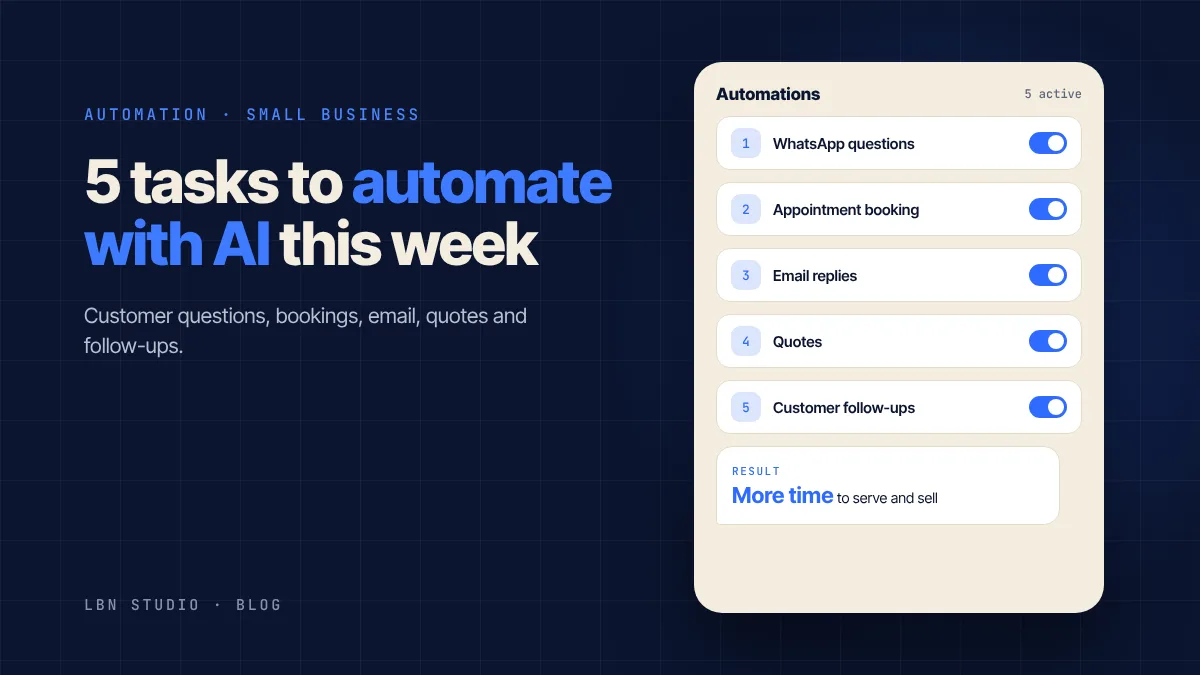
Summary: answering customer questions, booking appointments, writing emails, preparing quotes and following up with customers are five tasks a small business can automate with AI today, often with free tools. The key isn't using more tools, but picking one repetitive task, automating it well and measuring the time it frees up.
Why now
Small businesses are adopting AI quickly, but results are still uneven:
- According to Microsoft's annual survey, more than half of small and mid-sized businesses in seven countries across the Americas already use AI in their operations.
- At the same time, an Inter-American Development Bank report found that only 6% of companies in Latin America see a real impact.
The gap between using AI and getting results usually comes down to applying it to specific, repetitive tasks instead of trying tools without a clear goal.
1. Answer common questions on WhatsApp
The problem: the same questions every day (prices, hours, shipping, payment options) and messages that arrive after hours and go unanswered.
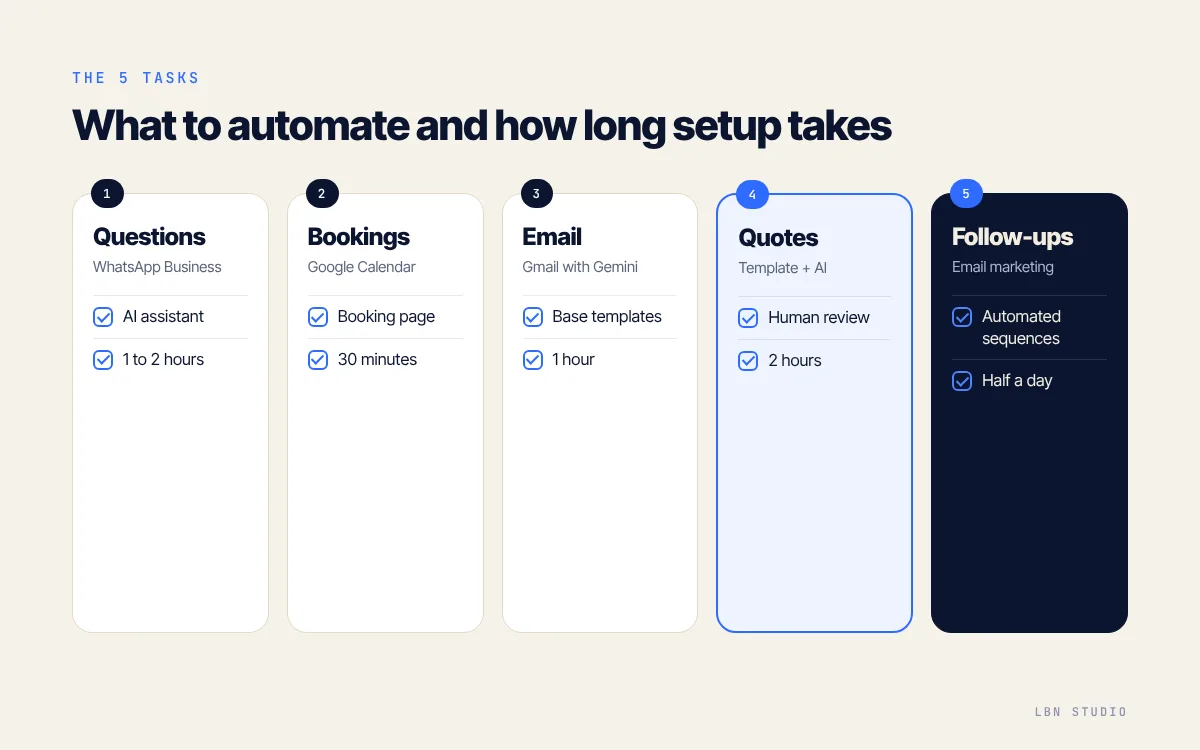
How to automate it: WhatsApp Business now includes a free AI assistant that answers using your profile and catalog, and hands complex cases over to a person. We explain it step by step in WhatsApp Business AI: how to answer customers 24/7.
Setup time: one to two hours, if your catalog is already loaded.
2. Book appointments and meetings
The problem: back-and-forth messages to find a time, no-shows and double bookings.
How to automate it: Google Calendar lets you create a booking page where customers pick an available slot and get an email confirmation. A personal Google account includes one booking page at no cost; paid Google Workspace plans add more pages, reminders and payments. Share the link on your website, on Instagram and in your WhatsApp auto-reply.
Setup time: 30 minutes.
3. Write and organize email
The problem: hours every week answering similar emails and digging through long threads.
How to automate it: Gmail includes features from Gemini, Google's AI, such as "Help me write" and thread summaries, available in Google Workspace business editions. With ChatGPT or Gemini you can also create base templates for your most common replies and adapt them in seconds.
Setup time: one hour to build your first five templates.
4. Prepare quotes and proposals
The problem: every quote starts from scratch, in different formats, and delays cool the customer off.
How to automate it: set up a fixed template with your services, terms and reference prices. Then an AI tool can draft the proposal from the request details (what they need, timeline, scope). You review the numbers and send it.
Important: AI can make mistakes with calculations and terms. Always review prices and timelines yourself before sending.
Setup time: two hours, the first time.
5. Follow up with customers
The problem: people who asked for a quote and never replied, buyers who never came back, and opportunities lost for lack of follow-up.
How to automate it: email marketing platforms such as Brevo offer free plans with basic automations: a welcome email when someone signs up, a reminder if they didn't reply to a quote, a post-purchase message asking for a review. Many already include AI to write subject lines and copy.
Setup time: half a day for your first sequence.
How to choose where to start
- For one week, write down which tasks you repeat every day and how long they take.
- Pick just one: the one that eats the most time or costs you the most sales.
- Automate it and measure for a month: hours saved, questions answered, sales closed.
- Only then add the next one.
Precautions when using AI in your business
- Personal data: don't paste sensitive customer data (ID numbers, health information, bank details) into AI tools, and follow the privacy laws that apply where you operate.
- Human review: anything AI sends on your business's behalf is your responsibility.
- Transparency: if an assistant replies for you, say so.
- Lock-in: keep copies of your templates and contacts outside each platform.
When a custom automation makes sense
Free tools cover a lot. A custom solution makes sense when you need systems to talk to each other: a WhatsApp inquiry logged in a spreadsheet, a website form that generates an automatic quote, or inventory updated in your store and your catalog at the same time.
The bottom line
Automating with AI doesn't take a big investment, it takes order: pick a task, set it up well and measure. If you'd like help deciding what to automate first or connecting your tools, get in touch or message us directly on WhatsApp to talk about your case.
Legal notice: All trademarks, trade names and logos mentioned in this article (such as Google, OpenAI, Meta, WhatsApp, Shopify, Wix, Hostinger and others) belong to their respective owners and are cited for informational and technical reference purposes only.
Sources
- Microsoft Latin America: AI and SMBs: an analysis of adoption and impact (Spanish)
- Ecosistema Startup: IDB: only 6% of LATAM companies see real AI impact (Spanish)
- Google Workspace: Gemini AI features now included in Workspace subscriptions
- Google Workspace Updates: Link your Google Calendar booking pages in Gmail
- Koalendar: Google Calendar appointment scheduling: a guide for SMBs
- Zeeg: Google Calendar appointment scheduling: the complete guide
- La Nación: How the WhatsApp Business AI agent works (Spanish)
Frequently asked questions
Do I need to know how to code to automate tasks with AI?
No. All five tasks in this article can be automated with tools you set up from your phone or computer, without coding.
How much does it cost?
All five options have free versions. Costs appear when volume grows or you need advanced features.
Will AI replace my team?
For repetitive tasks, AI saves time. Decisions, customer relationships and quality control stay with people.
Which task shows results fastest?
For businesses that sell through messaging, answering after-hours questions usually has the most immediate impact.