How to show up in ChatGPT, Gemini and Google's AI answers
More customers now ask AI which business to choose. What ChatGPT, Gemini and Google look at before recommending one, and what you can do today to show up.
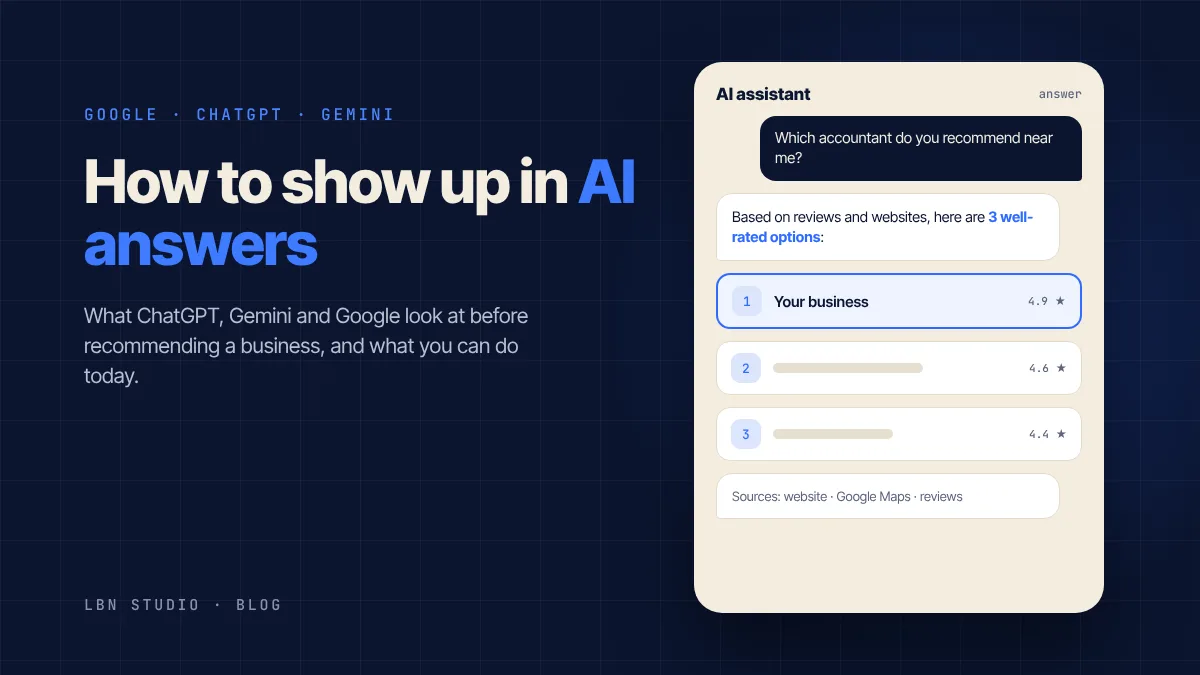
Summary: ChatGPT, Gemini and Google's AI answers don't make up their recommendations. They build them from what they find published online. A business shows up when its website is easy to read, clearly explains what it does and where, and its information matches everywhere it's listed.
The way people search has changed
Not long ago, someone looking for a service typed two or three words into Google and scrolled through the results. Today, more and more people ask a full question ("which accountant near me works with freelancers?") and read the answer the AI puts together.
The data shows how big the shift is:
- According to a SparkToro study based on Similarweb data, in the first four months of 2026 68% of Google searches in the US ended without a single click, up from 60% in 2024.
- An Ahrefs analysis of 300,000 keywords found that when an AI Overview appears, the top organic result gets about 58% fewer clicks.
- Pew Research had already measured in 2025 that, with an AI summary on the page, people click a traditional result about half as often as when there's none.
In other words, being on the results page is no longer enough. You need to be inside the answer.
How AI and Google decide which business to show
Google (AI Overviews and AI Mode)
Google explains in its official documentation for site owners that its AI features use the same index and the same quality systems as regular search. There's no separate trick. For a page to be eligible, Google asks for three basics: it has to be indexed, it can't be blocked from Google's crawler, and it has to offer helpful, reliable content.
One technical detail matters: AI Mode breaks each question into several smaller searches on subtopics. That's why a site that clearly answers specific questions (price ranges, service area, turnaround times, payment options) is more likely to be cited than one that only says "we're leaders in quality."
ChatGPT
OpenAI states in its guide for publishers that any public website can appear in ChatGPT search, as long as it doesn't block OpenAI's search crawler, called OAI-SearchBot. Several independent analyses agree that, for local queries, ChatGPT relies heavily on Bing results. If your site isn't indexed in Bing, ChatGPT probably can't find it.
Gemini
Gemini is Google's AI, so it draws on Google Search and Google Maps. Your Google Business Profile (the listing that shows up on Maps) carries a lot of weight when someone asks about a business in a specific area.
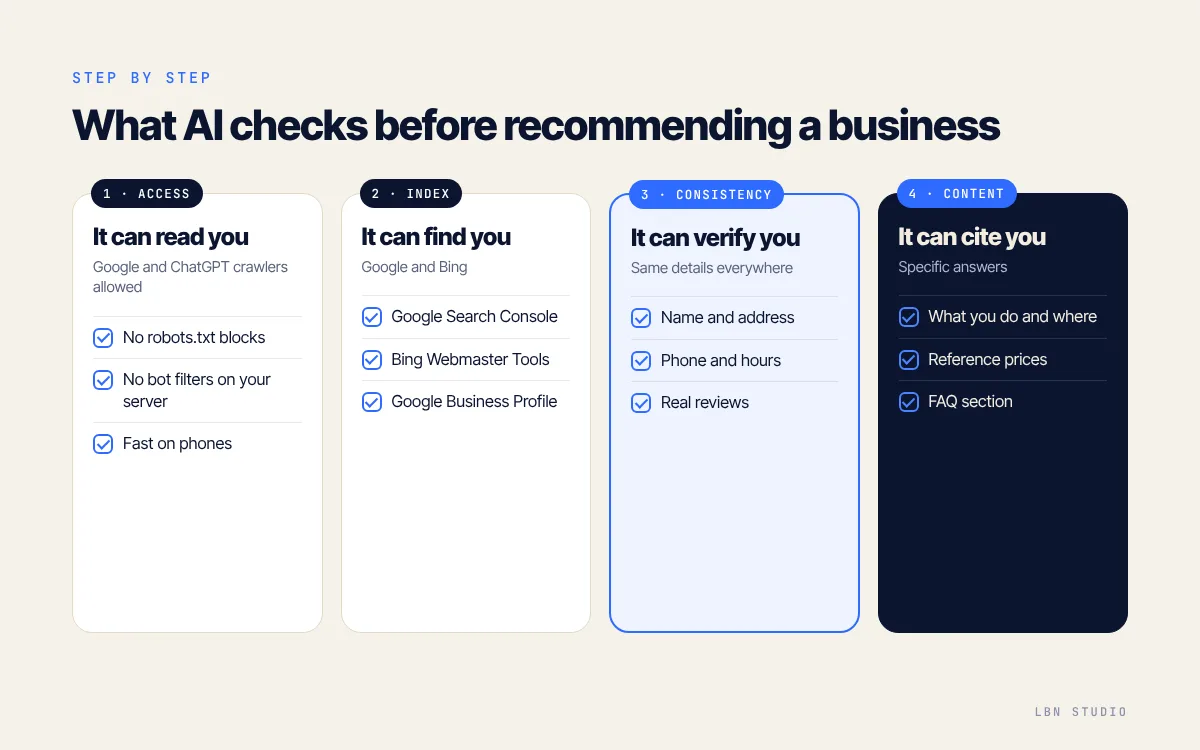
What you can do today, step by step
1. Make sure crawlers can reach your site
Some hosting and security services block bots by default. If Google's or ChatGPT's crawler can't read your site, you don't exist for them. Check your robots.txt file and your server settings.
2. Add your site to Google Search Console and Bing Webmaster Tools
Both are free. The first shows you how Google sees your site; the second is your way into Bing and, therefore, into a big part of ChatGPT. Bing lets you import your setup directly from Search Console in a few minutes.
3. Complete your Google Business Profile
Name, category, address or service area, hours, phone, website, real photos and a description. If you haven't done it yet, here's our step-by-step guide to getting your business on Google.
4. Keep the same details everywhere
AI tools cross-check several sources to confirm a business is real. If your website lists one phone number, Instagram another and Google Maps an old address, the AI hesitates and picks someone else. Use exactly the same name, address, phone number and hours everywhere.
5. Write your site to answer questions, not to decorate
Generic lines ("quality and commitment," "end-to-end solutions") give AI nothing concrete to cite. What does help:
- Exactly what you do and who it's for.
- Where you work.
- Reference prices or "starting at" ranges.
- Turnaround times.
- An FAQ section with short, direct answers.
6. Add structured data
These are invisible tags that tell search engines, in their own language, "this is a business, these are its hours, these are its FAQs." Google recommends that they match what's visible on the page.
7. Earn real reviews and mentions
Google reviews and mentions on other sites (press, industry directories, local business associations) work as votes of confidence. Ask every happy customer for a review and reply to all of them, including the negative ones.
8. Track visits coming from AI
ChatGPT adds the tag utm_source=chatgpt.com to the links it sends. In Google Analytics you can see how many visits come from there and which pages they land on.
What to avoid
- Publishing dozens of unreviewed AI-generated pages. Google treats it as spam ("scaled content abuse") and can demote the whole site.
- Blocking every bot out of fear of AI. If you block ChatGPT's search crawler, you disappear from its answers. If you only want to keep your content out of model training, that's a different bot (GPTBot).
- Buying reviews. Platforms detect them and can suspend your listing.
The bottom line
AI recommends the businesses it can read, understand and verify. A fast, clear website that's consistent with the rest of your online presence is now the foundation for showing up in Google, ChatGPT and Gemini. If you'd like us to review how search engines and AI see you today, get in touch or message us directly on WhatsApp to talk about your case.
Legal notice: All trademarks, trade names and logos mentioned in this article (such as Google, OpenAI, Meta, WhatsApp, Shopify, Wix, Hostinger and others) belong to their respective owners and are cited for informational and technical reference purposes only.
Sources
- Google Search Central: AI features and your website
- Search Engine Journal: Google's official advice on optimizing for AI Overviews and AI Mode
- Search Engine Land: Google shares 8 ways to be successful with AI search experiences
- OpenAI: Publishers and developers FAQ (OAI-SearchBot)
- Search Engine Land: How does ChatGPT conduct local searches
- BrightLocal: Local AI visibility study
- Search Engine Land: Zero-click searches reach 68% in early 2026 (SparkToro)
- Shopifreaks: Ahrefs: AI Overviews cut top-ranking CTR by 58%
- PPC Land: AI Overviews reduce organic CTR 61% (Seer)
- Google Search Central: Guidance on using generative AI content
Frequently asked questions
Do I have to pay to show up in ChatGPT or Google's AI answers?
No. Neither platform charges to appear in its answers. What shows up depends on the public information available and its quality.
Does traditional SEO still work?
Yes. Google has confirmed that its AI features use the same systems as traditional search. A well-ranked site is more likely to be cited.
How long does it take to see results?
It depends on how competitive your industry is, but technical fixes (indexing, Google listing, consistent details) usually show up within weeks. Reputation (reviews and mentions) takes months.
Can I check whether ChatGPT already recommends my business?
Try asking it the way a customer would ("which [type of business] do you recommend in [area]?"). Answers vary from one try to the next, so repeat the test several times on different days.
What is GEO?
It stands for "generative engine optimization": the practices that help a business show up in answers from AI tools. In practice, it rests on the same foundations as SEO.