WhatsApp Business AI: how to answer customers 24/7
WhatsApp Business now includes a free AI assistant. What it does, how to turn it on, its limits, and when a custom automation makes more sense.
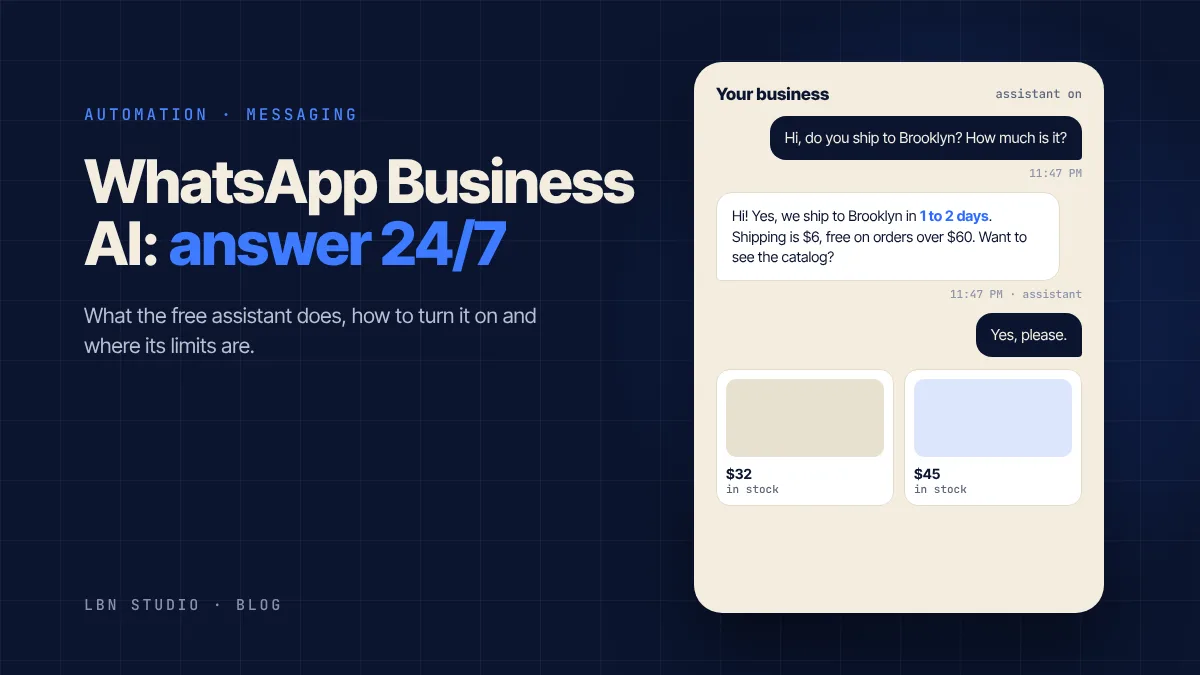
Summary: the WhatsApp Business app now includes a free AI assistant that answers questions, recommends products from your catalog and hands complex cases over to a person. It helps you stop losing customers after hours, but it has limits: it doesn't connect to your own systems, and it's only as good as the information you give it.
What changed
Meta's assistant, known as Business AI (it also appears as "AI assistant" or Meta Business Agent), launched inside the WhatsApp Business app in Latin America on February 24, 2026, covering 17 countries. Industry reports describe a global rollout announced in mid-2026. Availability still varies by country and by account, so the best check is to look for the option inside your own app.
For a business that sells through WhatsApp, the change is concrete: a question that arrives at 11 p.m. no longer has to wait until the next morning. And in sales, a slow reply is often a lost sale.
What the assistant can do
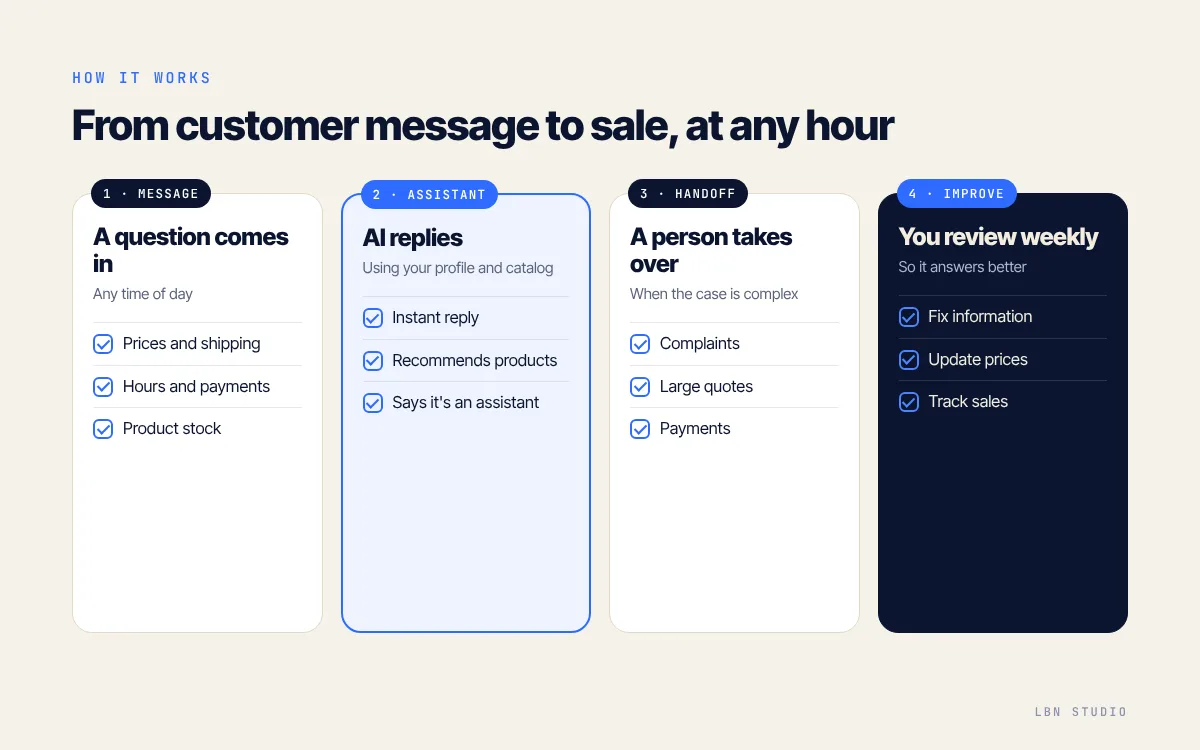
- Answer common questions (hours, payment options, shipping, location) using your business profile.
- Recommend products from your WhatsApp catalog based on what the customer asks for.
- Cover after-hours messages, every day of the week.
- Hand off to a person when it detects a more complex question. Your team can step back into the conversation at any time.
- Help draft broadcast campaigns, according to tech outlet ITSitio.
How to turn it on, step by step
Menu names may vary by app version and country.
- Update WhatsApp Business to the latest version.
- Add at least one product to your catalog (Business tools > Catalog). Meta listed this as a requirement at launch.
- Complete your business profile: description, hours, address or service area, website and policies (returns, shipping, payment options).
- Go to Business tools and look for Business AI or AI assistant.
- Accept the terms and, if prompted, link your Meta business account.
- Test the assistant by messaging it from another number before turning it on for customers.
If the option doesn't appear, your number may not be eligible yet. Meta is rolling it out gradually.
Limits worth knowing
- It answers with what it knows. If your catalog is incomplete or your prices are out of date, its answers will be too.
- It doesn't connect to your systems. It doesn't check your real inventory, booking system or invoicing. It only uses what's loaded in WhatsApp.
- It isn't available on the WhatsApp Business API (the version companies use with customer service platforms or CRMs), according to Chattigo.
- Pricing may change. It's free today, but several sources report that Meta is preparing usage-based or subscription pricing. Check the terms before relying on it completely.
- You're still responsible. If the assistant promises something, the customer will hold you to it. Review its conversations during the first few weeks.
When a custom automation makes sense
The free assistant is enough for many small businesses. A custom automation makes sense when:
- You get a high volume of messages and need several people answering the same number.
- You need the bot to check inventory, prices or bookings in real time.
- You want every contact logged in a spreadsheet or CRM, with automatic follow-up if the customer didn't reply.
- You want to send automatic reminders (appointments, pending payments, abandoned carts).
Best practices
- Write the key answers yourself in your profile and catalog: prices, turnaround times, delivery areas, return policy.
- Say it's an assistant. Transparency builds trust and avoids misunderstandings.
- Decide what always goes to a person: complaints, large quotes, payments.
- Review conversations once a week and fix any information that caused confusion.
- Measure results: how many messages arrive after hours and how many turn into sales.
The bottom line
AI in WhatsApp Business lets you reply quickly at any hour without adding staff. The key is loading accurate information and checking how it responds. When volume grows or you need WhatsApp connected to your inventory, bookings or CRM, that's where a custom automation comes in. If you'd like help figuring out which option fits, get in touch or message us directly on WhatsApp to talk about your case.
Legal notice: All trademarks, trade names and logos mentioned in this article (such as Google, OpenAI, Meta, WhatsApp, Shopify, Wix, Hostinger and others) belong to their respective owners and are cited for informational and technical reference purposes only.
Sources
- La Nación: WhatsApp Business: how the AI agent works (Spanish)
- On24: WhatsApp Business AI now available for free (Spanish)
- ITSitio: How to turn on the agent that answers customers all day (Spanish)
- Forbes Brasil: WhatsApp Business launches agentic AI for SMBs (Portuguese)
- Chattigo: What WhatsApp Business AI means for companies (Spanish)
- Leadsales: What Meta Business Agent is (global launch) (Spanish)
- Ecosistema Startup: Usage-based pricing and global launch (Spanish)
Frequently asked questions
Is the WhatsApp Business AI assistant free?
Yes, at the time of writing it's free inside the WhatsApp Business app. Meta has signaled changes to its pricing model, so check the current terms.
Is it available in the US?
Meta launched it first in Latin America in February 2026, and industry reports describe a global rollout later in 2026. Availability varies by country and account, so look for the option in your app.
Do I need special equipment?
No. It works inside the WhatsApp Business app on your phone.
Can I use my current number?
Yes, if you already use WhatsApp Business. If you use regular WhatsApp, you'll need to switch to WhatsApp Business first (it's free).
Can the assistant take orders or payments?
It can recommend products and answer questions, but closing the sale and collecting payment are still up to you, unless it's integrated with other systems.