How to get your business to show up on Google: a step-by-step guide (free)
Showing up on Google is free, and you can do most of it yourself in an afternoon. Here's the step-by-step, no tech jargon.
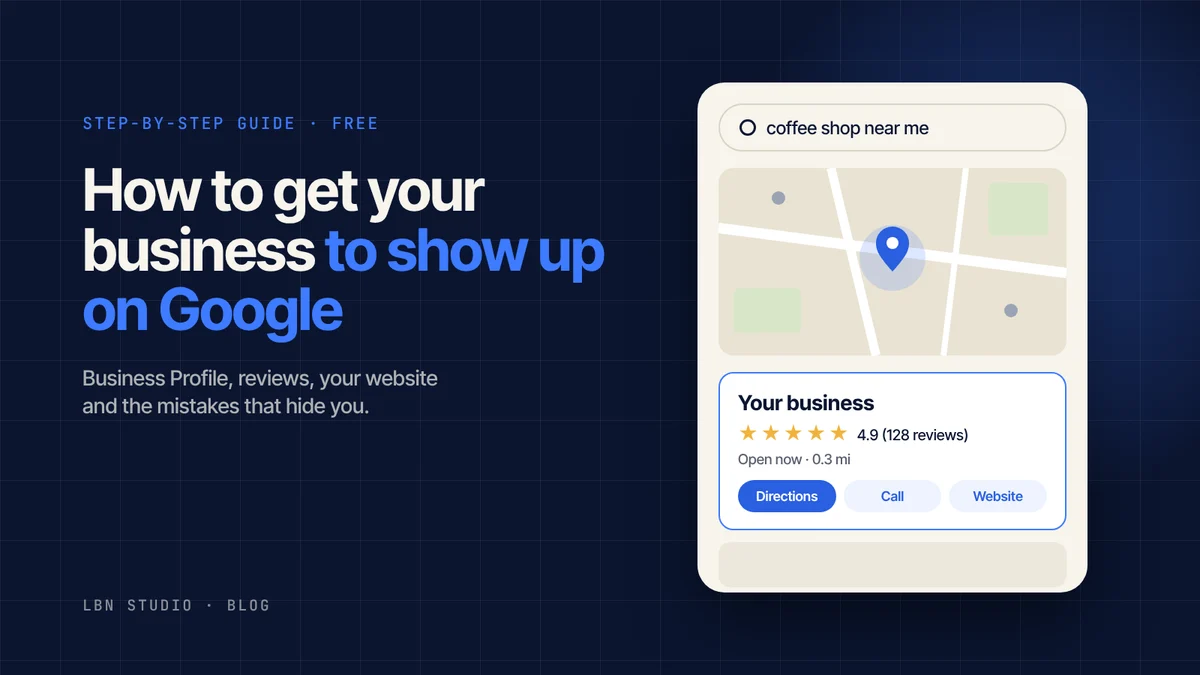
When someone searches for “coffee shop near me,” “electrician in Brooklyn” or “women's clothing store online,” Google shows them a handful of businesses. The ones that show up get the calls. The ones that don't simply don't exist for that person.
The good news: getting on Google is free, and you can do most of it yourself in an afternoon. Here's the step-by-step, no tech jargon.
The two ways to show up on Google
Before you start, it helps to know there are two different places you can appear:
- On the map and the business panel. That's the box with the map, address, hours, photos and star rating. It shows up when someone searches for something “near me” or in a specific area. You manage it with your Google Business Profile (formerly Google My Business).
- In the regular search results. That's the list of websites below. To be there, you need your own website.
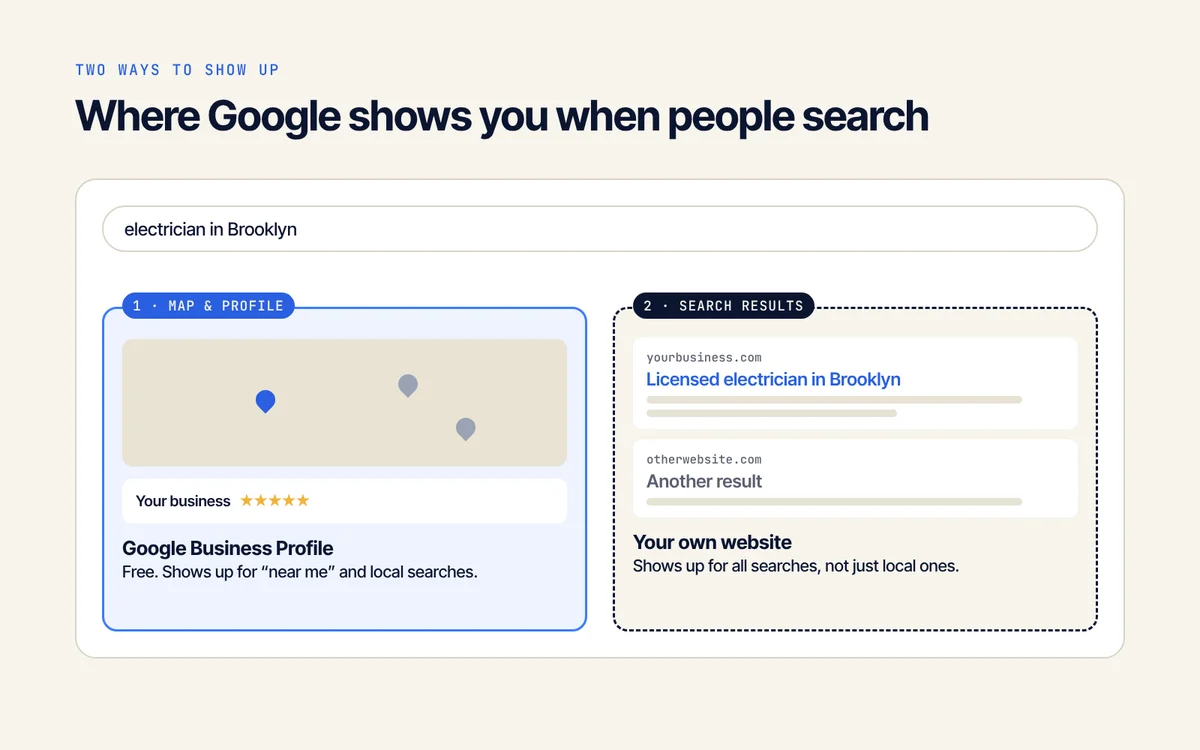
Ideally, you want to be in both. Let's go one at a time.
Step 1: Create your Google Business Profile
This comes first, and it's what gets results fastest, especially if you serve a local area.
- Go to google.com/business and sign in with a Google account (ideally one for the business, not your personal one).
- Enter your business name exactly as it appears on your sign, your social media and your invoices.
- Choose your primary category. It's the most important decision in the whole profile: if you're a “Bakery,” don't pick “Store.” You can add secondary categories later.
- Say whether customers come to your location or you go to them (if you're a service-area business, you can hide your address and list the areas you serve instead).
- Add your phone number and website if you have one.
- Verify your business. Google will ask you to prove you're the owner, usually with a short video showing your location or your tools of the trade, or a code by text or email. Your profile won't show up until it's verified.
Heads up: your business may already be on Google even if you never added it (sometimes a customer does). If you find it, click “Own this business?” and claim it instead of creating a new one. Two listings for the same business hurt each other.
Step 2: Fill out your profile 100%
A half-finished profile shows up far less often than a complete one. Make sure it has:
- Accurate hours, including holidays. Nothing earns a bad review faster than showing up to a closed door.
- A clear description of what you do and who you do it for, in the words your customers would use (“custom birthday cakes,” not “bakery solutions”).
- Your own photos: storefront, interior, products, team. Profiles with photos get many more calls and direction requests.
- Products or services listed with names and, if you can, prices.
- Attributes like “accepts credit cards,” “wheelchair accessible” or “online ordering.”
Step 3: Get reviews (and reply to every one)
Reviews are one of the biggest factors in whether Google shows you near the top of the map. They're also the first thing a customer checks before choosing you.
- Always ask. After every sale or finished job, send the direct review link (you'll find it in your profile under “Ask for reviews”). A short text message works great.
- Reply to all of them, good and bad. With a negative review, stay calm, don't argue and offer a fix. Future customers pay more attention to your reply than to the complaint.
- Never buy reviews or offer a discount in exchange for five stars. Google detects them, removes them and can suspend your profile.
Step 4: Have your own website
Your Business Profile puts you on the map, but to show up in the search results (and when people search without “near me”) you need a website.
Social media helps, but Google rarely shows Instagram or Facebook pages when someone searches for a service or product. A website, even a single page, gives Google something to read and show.
What your website needs so Google understands it:
- A clear title on every page that says what you do and where: “Licensed electrician in Brooklyn and Queens” tells Google much more than “Home.”
- Copy written the way your customers talk. Think about what they'd type into Google and use those same words.
- Fast loading and mobile-friendly. Most searches happen on phones, and Google takes that into account.
- Contact details that match your Business Profile: same name, same address, same phone number. Consistency everywhere builds trust with Google.
- Links between your website and your profile, both ways.
Step 5: Tell Google your website exists
Google eventually finds new websites on its own, but you can speed things up:
- Go to Google Search Console (it's free) using your business account.
- Add your website and verify you own it (if someone built it for you, ask them to help with this step).
- Submit your sitemap: a file that tells Google which pages you have. It's usually at yourwebsite.com/sitemap.xml.
Search Console also shows you which searches people use to find you, which is gold when deciding what to write about.
Step 6: Publish helpful content
The websites that rank higher tend to be the ones that answer questions. If you run a real estate office, an article on “what documents do I need to rent an apartment” can bring in visitors every month. If you sell clothing, a size guide.
You don't need to post every week. One good article a month, based on the questions your customers actually ask, makes a real difference over time.
How long does it take?
- Business Profile: once verified, it usually shows up within a few days.
- A new website: it can take anywhere from a few days to a few weeks to appear, and several months to climb for competitive searches.
That's why it pays to start now: what you do today starts paying off down the road.
The most common mistakes
- Stuffing keywords into your business name (“Joe's Pizza Best Cheap Pizza Downtown”). It's against Google's rules and can get your profile suspended.
- Different details in different places: one phone number on Google, another on Instagram and another on your website.
- Abandoning your profile: outdated hours, old photos, unanswered reviews.
- Relying only on social media. If the algorithm changes tomorrow or your account gets locked, you lose your storefront.
- Paying anyone who promises a “guaranteed #1 spot.” Nobody can guarantee that, not even Google.
Frequently asked questions
Does it cost money to get my business on Google?
No. Google Business Profile and Google Search Console are free. What you pay for is advertising (the results labeled “Sponsored”), which is optional.
Can I get on Google if I don't have a physical location?
Yes. If you work at your customers' locations or online, you can hide your address in your Business Profile and list the areas you serve.
How do I get my business to show up first on Google?
There's no single trick. What helps most is a complete profile, the right category, lots of genuine reviews, being close to the person searching and a clear, fast website.
Is having only Instagram or Facebook enough?
It's useful for showing your work, but Google rarely shows social media pages when someone searches for a service. To show up in searches you need a Business Profile and, ideally, a website.